Targus DOCK116GLZ laptop dock/port replicator Wired USB 3.2 Gen 2 (3.1 Gen 2) Type-C Black
Brand: Targus · SKU: TAR-DOCK116GLZ · MPN: DOCK116GLZ · Category: Components
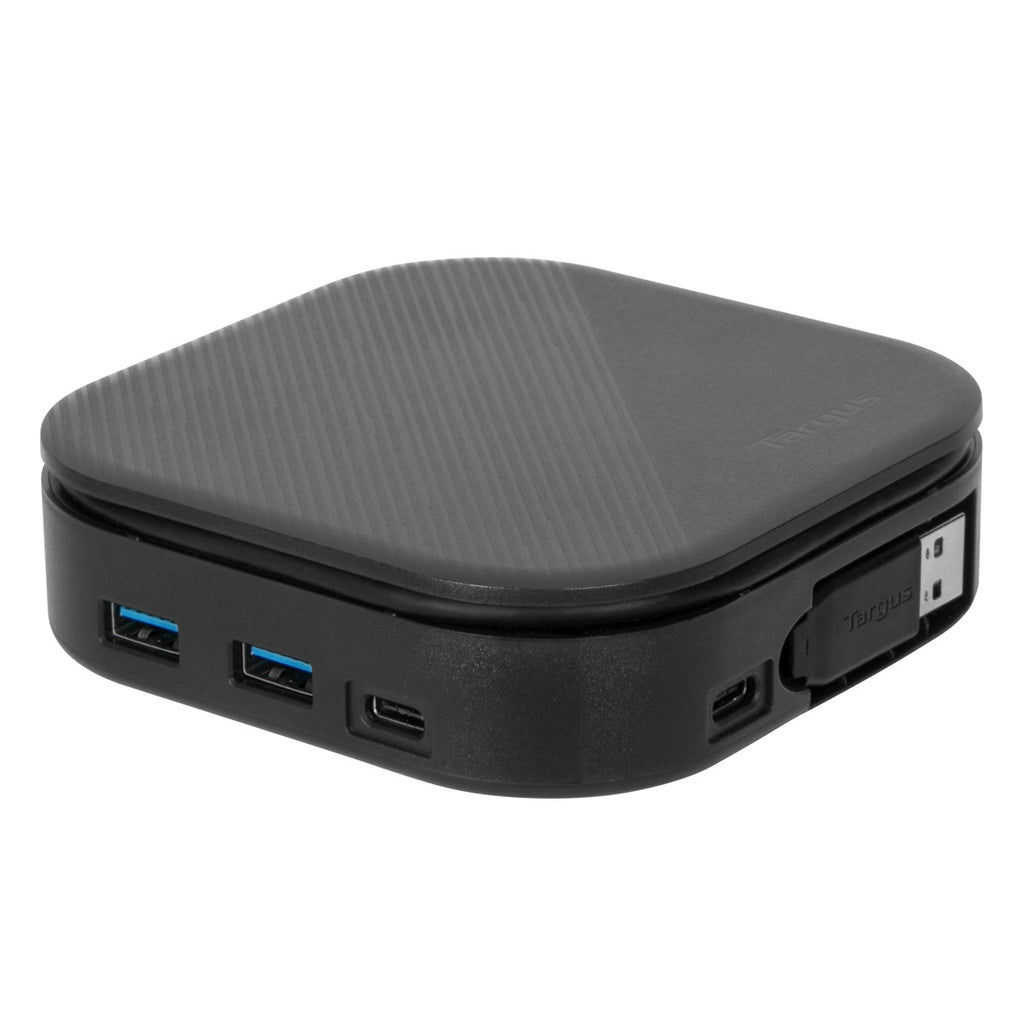
Targus DOCK116GLZ, Wired, USB 3.2 Gen 2 (3.1 Gen 2) Type-C, 80 W, Black, 10 Gbit/s, HD. Targus DOCK116GLZ laptop dock/port replicator Wired USB 3.2 Gen 2 (3.1 Gen 2) Type-C Black (part number TAR-DOCK116GLZ) is an enterprise components product available from Server Tech Central. Key specifications include depth 105 mm, width 105 mm, height 28 mm, weight 199 g, hd type HD, dc-in jack No, ethernet lan Yes, hdmi version 1.4. Every unit is fully tested and backed by our standard 3-Year Warranty, with free US ground shipping and same-day dispatch on in-stock orders. Volume pricing and Net-30 terms are available for qualified businesses, government, and education.
Specifications
| Depth | 105 mm |
|---|---|
| Width | 105 mm |
| Height | 28 mm |
| Weight | 199 g |
| HD type | HD |
| DC-in jack | No |
| Ethernet LAN | Yes |
| HDMI version | 1.4 |
| Microphone in | No |
| Host interface | USB 3.2 Gen 2 (3.1 Gen 2) Type-C |
| Product colour | Black |
| Cable lock slot | Yes |
| Power connector | USB Type-C |
| Power source type | USB |
| Quantity per pack | 1 pc(s) |
| Wireless charging | No |
| Data transfer rate | 10 Gbit/s |
| HDMI ports quantity | 2 |
| Cable lock slot type | Kensington |
| Maximum refresh rate | 60 Hz |
| Card reader integrated | No |
| Connectivity technology | Wired |
| USB Power Delivery up to | 80 W |
| Ethernet LAN (RJ-45) ports | 1 |
| Warranty | 3-Year Warranty |
| Weight | 199 g |
| Dimensions | 105 mm x 105 mm x 28 mm |
Product Description
Streamline your on-the-go workspace with Targus® USB-C® Universal Dual HD Docking Station with 80W PD Pass-Thru. Its stow-away host cable, compact, lightweight design makes it easy to slip into the pocket of your backpack or luggage, and ensures it doesn’t take up valuable working real estate if you’re working remotely. A rubber-padded bottom provides grip so the dock stays in one place. Equipped with DisplayLink® technology, this tiny dock offers compatibility with most laptop brands and supports single 2K 2560 x 1440 video or dual HD 2048 x 1152 video via HDMI. Additionally, it comes with a USB-A host adapter so you can use it with new or legacy laptops. This flexible and powerful dock offers multiple ports — an Ethernet port, 1 USB-C port (10 Gbps) and 2 USB-A ports (10 Gbps) — to accommodate your essential accessories like a mouse, keyboard, or hard drive. Top that off, the DOCK116GLZ is the smartest travel dock you’ll need to stay connected, powered, and productive while on the road. With 80W power pass-thru**, keep your host and other devices charged while connecting your power supply to the dock. Or simply plug your dock into the host for the computer to do all the charging — no AC adapter needed. Innovative Design A compact, lightweight design makes this dock ideal for travel and easily fits into the pocket of your backpack. Its tethered stow-away cable management keeps messy wires at bay. For ultimate flexibility, it’s host bus-powered or you can connect a USB-C® power adapter to the dock (power adapter not included) to pass-thru and power the host. Perfect for those laptops with only a single USB-C port. Truly Universal Compatibility Unlike proprietary docking solutions that lock users into a specific platform, brand, or even model of laptop, this utilizes DisplayLink® technology for maximum compatibility. That compatibility eliminates the need to replace it at every laptop refresh, which translates to lower cost of ownership for higher productivity over a longer time. The DOCK116GLZ is compatible with both Windows® and macOS®, plus other operating systems. Supports Dual HDMI Monitors Create a picture-perfect dual display set-up on both PC and Mac. With two HDMI ports available, you can enjoy dual HD (2048 x 1152) displays via HDMI or opt for a single 2K (2560 x 1140) connection. Connect Your Favorite Accessories With 2 USB-A ports (10 Gbps) and 1 USB-C® port (10 Gbps), it’s simple to add the latest keyboard, external drives, and other peripherals to customize your travel workspace experience. Enterprise Software Suite: A Targus Exclusive Enhance security and improve user experience with the Targus Enterprise Software Suite for DOCK116. - Wi-Fi Auto Switch: auto enables/disables Wi-Fi functionality when the dock’s Ethernet connection is active, reducing unnecessary network traffic and enabling faster connection speeds. - MAC Address Cloning: auto replaces the MAC address of the connected Targus Ethernet network adapter with any (Wired Ethernet, Wireless Ethernet, Bluetooth) MAC address of the local host, supporting device-based authentication methods. - Ghost Device Removal: purges older, latent Targus docking station devices from the local registry preventing registry bloat. - Targus A/V Configuration Utility: restores audio configuration, icon, and first-level application window’s positions to external monitors when re-connecting to a previously used Targus docking station.
Key Features
Targus DOCK116GLZ. Connectivity technology: Wired, Host interface: USB 3.2 Gen 2 (3.1 Gen 2) Type-C, USB Power Delivery up to: 80 W. Product colour: Black, Data transfer rate: 10 Gbit/s, HD type: HD. Power source type: USB, Power connector: USB Type-C. Mobile operating systems supported: Android, Other operating systems supported: ChromeOS. Width: 105 mm, Depth: 105 mm, Height: 28 mm
Frequently Asked Questions
Is this product genuine OEM?
Yes, this Targus DOCK116GLZ laptop dock/port replicator Wired USB 3.2 Gen 2 (3.1 Gen 2) Type-C Black (TAR-DOCK116GLZ) is 100% genuine Targus hardware. All our products are verified by certified technicians and come with clean serial numbers ready for service contract registration.
What warranty is included?
This Targus DOCK116GLZ laptop dock/port replicator Wired USB 3.2 Gen 2 (3.1 Gen 2) Type-C Black includes our standard 3-Year Warranty covering all manufacturing defects. We also offer advanced replacement options for minimal downtime.
How long does shipping take?
We offer free ground shipping which typically takes 3-5 business days. Expedited shipping options are available at checkout for faster delivery.
Can I return this product?
Yes, we have a 30-day return policy on all products. Restocking fees may apply for opened items. Please see our return policy for complete details.
Is the Targus DOCK116GLZ laptop dock/port replicator Wired USB 3.2 Gen 2 (3.1 Gen 2) Type-C Black compatible with my system?
Please check the specifications tab for detailed compatibility information. Our technical team is available to assist with compatibility questions for the TAR-DOCK116GLZ.
More in Components
- Targus DOCK182USZ laptop dock/port replicator USB 3.2 Gen 2 (3.1 Gen 2) Type-C Black
- Targus DOCK192USZ laptop dock/port replicator USB 3.2 Gen 2 (3.1 Gen 2) Type-C Black
- Targus DOCK215USZ laptop dock/port replicator Thunderbolt 3 Grey
- Targus DOCK310USZ laptop dock/port replicator Wired Black
- Targus DM4240SUSZ computer monitor 61 cm (24") 1920 x 1080 pixels HD LCD Black
- Targus DM4240PUSZ computer monitor 61 cm (24") 1920 x 1080 pixels HD LCD Black
- Targus Desktop USB 2.0 7-Port Hub w/Audio Pass 480 Mbit/s Black, Silver
- Targus Desktop USB 2.0 7-port Hub 480 Mbit/s Grey