StarTech.com Flat-Screen TV Wall Mount - Tilting
Brand: StarTech.com · SKU: STA-FLATPNLWALL · MPN: Flat-Screen TV Wall Mount - Tilting · Category: Components
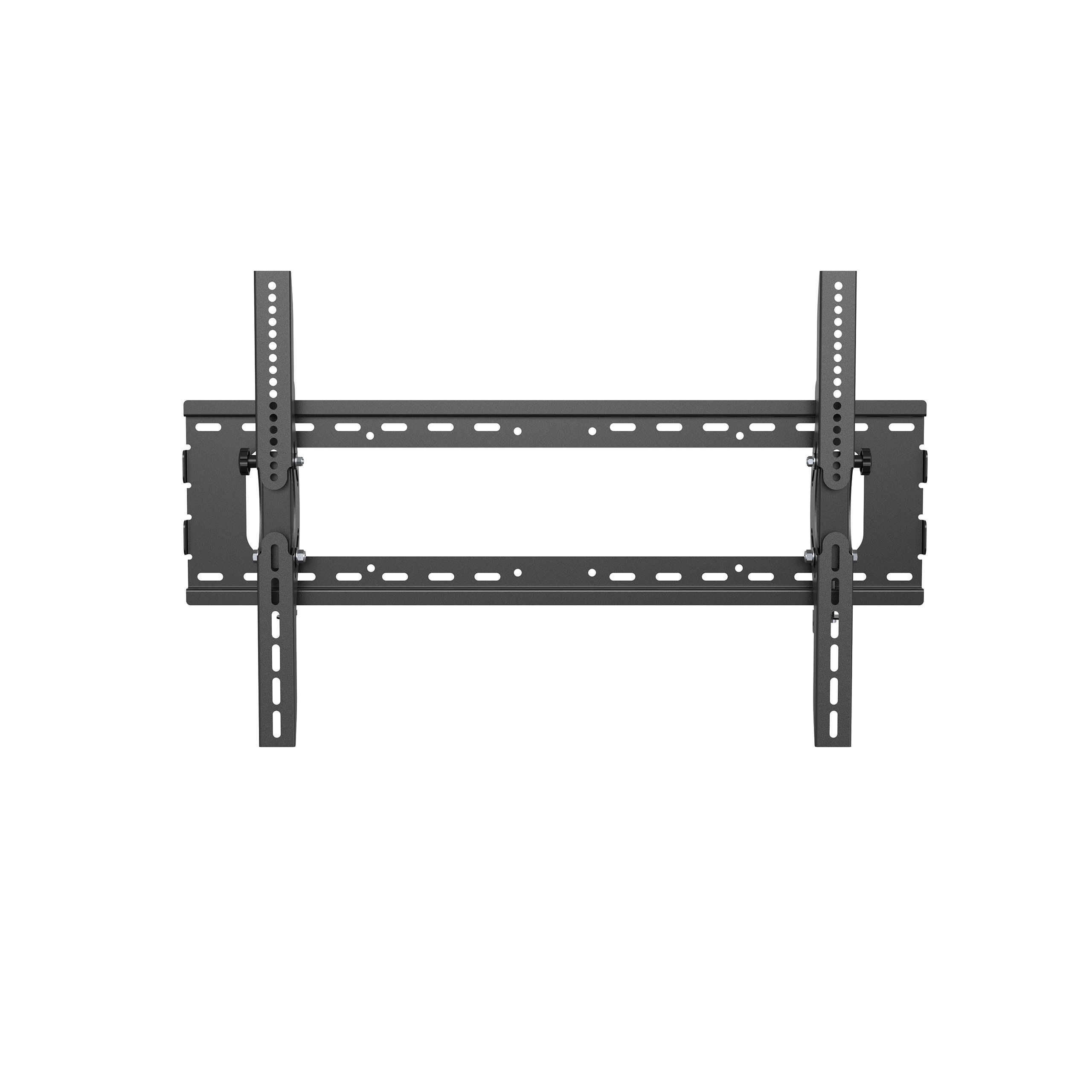
StarTech.com Flat-Screen TV Wall Mount - Tilting, 81.3 cm (32"), 190.5 cm (75"), 75 x 75 mm, 600 x 400 mm, -15 - 15°, Black. StarTech.com Flat-Screen TV Wall Mount - Tilting (part number STA-FLATPNLWALL) is an enterprise components product available from Server Tech Central. Key specifications include depth 810 mm, width 83 mm, height 500 mm, manual Yes, weight 3.8 kg, depth (max) 81 cm, wrench type Hexagonal wrench, mounting kit Yes. Every unit is fully tested and backed by our standard 3-Year Warranty, with free US ground shipping and same-day dispatch on in-stock orders. Volume pricing and Net-30 terms are available for qualified businesses, government, and education.
Specifications
| Depth | 810 mm |
|---|---|
| Width | 83 mm |
| Height | 500 mm |
| Manual | Yes |
| Weight | 3.8 kg |
| Depth (max) | 81 cm |
| Wrench type | Hexagonal wrench |
| Mounting kit | Yes |
| Mounting type | Wall |
| Package depth | 835 mm |
| Package width | 238 mm |
| Package height | 89 mm |
| Package weight | 4.9 kg |
| Product colour | Black |
| Screws included | Yes |
| Spacer included | Yes |
| Wrench included | Yes |
| Anchors included | Yes |
| Cable management | Yes |
| Number of screws | 26 |
| Tilt angle range | -15 - 15° |
| Washers included | Yes |
| Maximum VESA mount | 600 x 400 mm |
| Minimum VESA mount | 75 x 75 mm |
| Warranty | 3-Year Warranty |
| Weight | 3.8 kg |
| Dimensions | 83 mm x 810 mm x 500 mm |
Product Description
Display Wall Mount | Steel | For 32" to 75" TVs Maximize space while creating an impressive display with this flat-screen TV wall mount for large TVs or monitors. The heavy-duty wall mount securely supports a VESA Mount compliant TV from 32" to 75"; with easy-to-use tilt adjustment for comfortable viewing. Ideal for the Boardroom, or Digital Signage Mount your flat-screen TV in a location that's convenient for visitors, clients and employees, while saving valuable space. The wall mount is ideal for boardrooms, lobbies or other venues providing an impressive and secure way to display a large flat-panel TV or create digital signage. The robust wall mount supports a large 32" to 75" flat-screen TV weighing up to 165 lb. (75 kg). Tilt Your Display to the Ideal Viewing Angle The TV wall mount lets you angle your TV display toward your audience. With the tilt feature, you can mount your TV lower or higher than eye level and still view it comfortably. The tilt-adjusting knobs make it easy to adjust your TV to the ideal viewing angle. Easy and Secure Setup The hook-and-mount design of the TV wall mount makes setup fast and easy. You simply attach the vertical brackets, with built-in hooks, to the back of your TV. Once the brackets are attached, you then hang your TV securely onto the wall mount. Cable management helps to keep cables out of view.
Key Features
StarTech.com Flat-Screen TV Wall Mount - Tilting. Maximum weight capacity: 75 kg, Minimum screen size: 81.3 cm (32"), Maximum screen size: 190.5 cm (75"), Minimum VESA mount: 75 x 75 mm, Maximum VESA mount: 600 x 400 mm. Tilt angle range: -15 - 15°, Distance to the wall (min): 8.3 cm. Product colour: Black
Frequently Asked Questions
Is this product genuine OEM?
Yes, this StarTech.com Flat-Screen TV Wall Mount - Tilting (STA-FLATPNLWALL) is 100% genuine StarTech.com hardware. All our products are verified by certified technicians and come with clean serial numbers ready for service contract registration.
What warranty is included?
This StarTech.com Flat-Screen TV Wall Mount - Tilting includes our standard 3-Year Warranty covering all manufacturing defects. We also offer advanced replacement options for minimal downtime.
How long does shipping take?
We offer free ground shipping which typically takes 3-5 business days. Expedited shipping options are available at checkout for faster delivery.
Can I return this product?
Yes, we have a 30-day return policy on all products. Restocking fees may apply for opened items. Please see our return policy for complete details.
Is the StarTech.com Flat-Screen TV Wall Mount - Tilting compatible with my system?
Please check the specifications tab for detailed compatibility information. Our technical team is available to assist with compatibility questions for the STA-FLATPNLWALL.
More in Components
- StarTech.com Flexible Cable Management Raceway Spine Vertebrae, 3/4"(20mm)W x 1/2"(14mm)H - 20"(0.5m) length, Nylon 66 Network Cable/Power Cord Hider Kit, Wall Wire Duct System, UL Listed
- StarTech.com Foam Keyboard Wrist Rest for Ergonomic Typing Support - Padded Non-Slip Keyboard Cushion - Laptop or Desktop Computer Keyboard Wrist, Hand & Arm Rest - Soft Black Nylon Rest Pad
- StarTech.com Foldable Laptop Riser Stand, Portable Height Adjustable Ergonomic Laptop Stand, Ventilated Aluminum Frame Supports 22lb (10Kg), Tilt/Raised/Angled Laptop/Tablet Stand, Collapsible Design
- StarTech.com Free Standing Single Monitor Mount - Height Adjustable Monitor Stand - For VESA Mount Displays up to 32" (15lb/7kg) - Ergonomic Monitor Stand for Desk - Tilt/Swivel/Rotate
- StarTech.com Fiber Optics Loopback Tester with MTRJ Connector InfiniBand/fibre optic cable Black
- StarTech.com Fiber Optics Loopback Tester with LC Connector InfiniBand/fibre optic cable White
- StarTech.com Fiber Media Converter network media converter 1000 Mbit/s
- StarTech.com Fiber Media Converter Gigabit 1000Mbps MM Fibre LC 550m