Zebra P1031365-042 power adapter/inverter Auto Black
Brand: Zebra · SKU: P1031365-042 · MPN: P1031365-042 · Category: Components
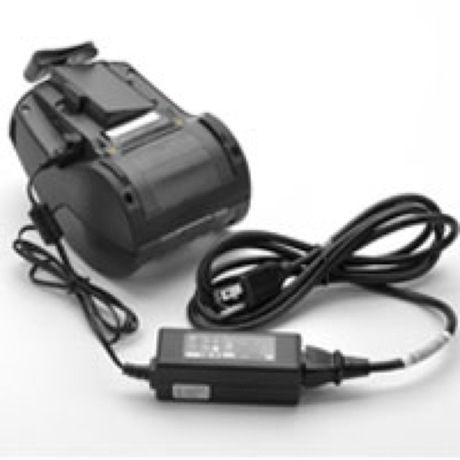
Zebra P1031365-042, POS printer, Auto, AC-to-DC, Zebra, ZQ510, ZQ520, QLn220, QLn320, QLn42, Black. Zebra P1031365-042 power adapter/inverter Auto Black (part number P1031365-042) is an enterprise components product available from Server Tech Central. Key specifications include purpose POS printer, compatibility ZQ510, ZQ520, QLn220, QLn320, QLn42, product colour Black, power supply type Auto, quantity per pack 1 pc(s), power current type AC-to-DC, brand compatibility Zebra, included power plug types EU. Every unit is fully tested and backed by our standard 3-Year Warranty, with free US ground shipping and same-day dispatch on in-stock orders. Volume pricing and Net-30 terms are available for qualified businesses, government, and education.
Specifications
| Purpose | POS printer |
|---|---|
| Compatibility | ZQ510, ZQ520, QLn220, QLn320, QLn42 |
| Product colour | Black |
| Power supply type | Auto |
| Quantity per pack | 1 pc(s) |
| Power current type | AC-to-DC |
| Brand compatibility | Zebra |
| Included power plug types | EU |
| Harmonized System (HS) code | 85044095 |
| Warranty | 3-Year Warranty |
Product Description
Connect the printer (or charging cradle) to AC power to charge the printer’s internal battery.
Key Features
Zebra P1031365-042. Purpose: POS printer, Power supply type: Auto, Power current type: AC-to-DC. Product colour: Black. Quantity per pack: 1 pc(s), Included power plug types: EU
Frequently Asked Questions
Is this product genuine OEM?
Yes, this Zebra P1031365-042 power adapter/inverter Auto Black (P1031365-042) is 100% genuine Zebra hardware. All our products are verified by certified technicians and come with clean serial numbers ready for service contract registration.
What warranty is included?
This Zebra P1031365-042 power adapter/inverter Auto Black includes our standard 3-Year Warranty covering all manufacturing defects. We also offer advanced replacement options for minimal downtime.
How long does shipping take?
We offer free ground shipping which typically takes 3-5 business days. Expedited shipping options are available at checkout for faster delivery.
Can I return this product?
Yes, we have a 30-day return policy on all products. Restocking fees may apply for opened items. Please see our return policy for complete details.
Is the Zebra P1031365-042 power adapter/inverter Auto Black compatible with my system?
Please check the specifications tab for detailed compatibility information. Our technical team is available to assist with compatibility questions for the P1031365-042.
More in Components
- Zebra P1037974-018 power supply unit
- Zebra P1040668 power supply unit
- Zebra P1040676 power supply unit
- Zebra P1040678 power supply unit
- Zebra P1031365-041 power adapter/inverter Indoor Black
- Zebra P1031365-024 power adapter/inverter Indoor Black
- Zebra P1022188 power supply unit
- Zebra P1014111 power adapter/inverter Indoor 100 W Black