AP4050DE-M, Huawei AP4050DE-M Access Point, 802.11ac Wave 2/2x2 MIMO/Built-in omnidirectional antenna
SKU: AP4050DE-M · MPN: AP4050DE-M · Category: Networking
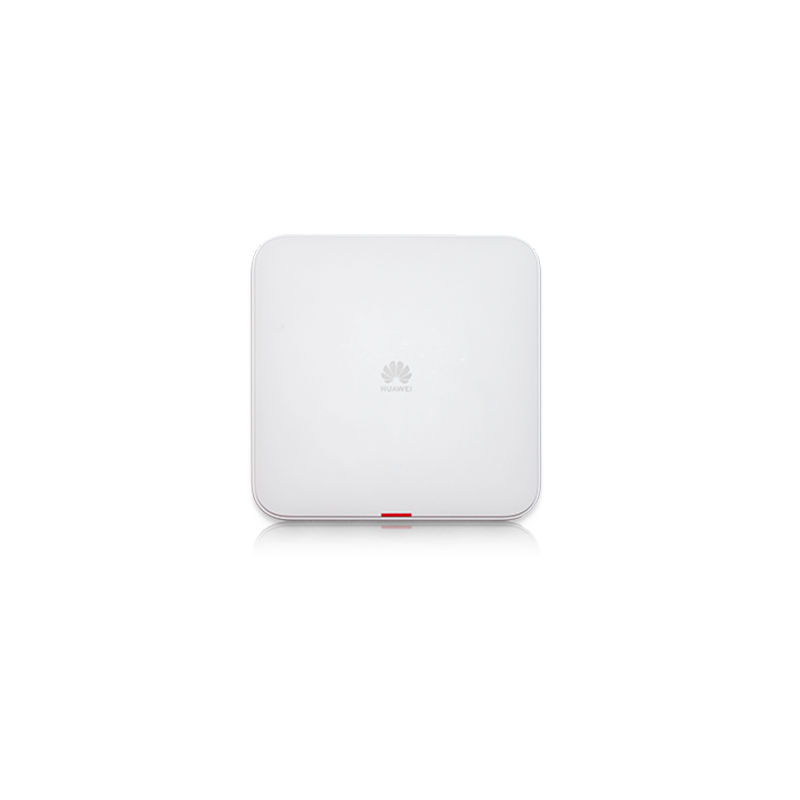
Huawei AP4050DE-M 802.11ac Wave 2 Access Point, 2 x 2 MIMO, two spatial streams, Built-in dual-band smart omnidirectional antenna
Specifications
| WEEE | Directive 2002/96/EC & 2012/19/EU |
|---|---|
| EMF l | • CENELEC EN 62311 • CENELEC EN 50385 • OET65 • RSS-102 • FCC Part1&2 • FCC KDB series |
| RoHS l | Directive 2002/95/EC & 2011/65/EU |
| Weight | 0.7 kg |
| Reach l | Regulation 1907/2006/EC |
| Altitude | – 60 m to +5000 m |
| Antenna gain | 2.4GHz: 4.5dBi 5GHz: 6dBi NOTE • The gains above are the single-antenna peak gains. • The equivalent antenna gain after all 2.4 GHz or 5 GHz antennas are combined is 3dBi in 2.4 GHz or 3dBi in 5 GHz. |
| Antenna type | Built-in dual-band smart antenna |
| LED indicator | Indicates the power-on, startup, running, alarm, and fault states of the system. |
| Power input l | • DC: 12 V ± 10% • PoE power supply: in compliance with IEEE 802.3at |
| IEEE standards | • IEEE 802.11a/b/g • IEEE 802.11n • IEEE 802.11ac • IEEE 802.11h • IEEE 802.11d • IEEE 802.11e • IEEE 802.11k • IEEE 802.11u • IEEE 802.11v • IEEE 802.11w • IEEE 802.11r |
| Interface type | 1 x 10/100/1000M self-adaptive Ethernet interface (RJ45) 1 x Management console port (RJ45) |
| EMC standards l | • EN 301 489-1 l • EN 301 489-17 • ETSI EN 60601-1-2 l • FCC Part 15 • ICES-003 • YD/T 1312.2-2004 • ITU k.20 • GB 9254 • GB 17625.1 • AS/NZS CISPR22 • EN 55022 • EN 55024 • CISPR 22 • CISPR 24 • IEC61000-4-6 l • IEC61000-4-2 |
| Power increment | 1 dBm |
| Radio standards | • ETSI EN 300 328 • ETSI EN 301 893 • China's SRRC document [2002] No. 353 • China's SRRC document [2002] No. 277 • China's SRRC document [2012] No. 620 • FCC Part 15C: 15.247 • FCC Part 15C: 15.407 • RSS-210 • AS/NZS 4268 |
| Safety standards | • UL 60950-1 • CAN/CSA 22.2 No.60950-1 l • IEC 60950-1 l • EN 60950-1 l • GB 4943 |
| Built-in Bluetooth | BLE5.0 |
| Operating humidity | 5% to 95% (non-condensing) |
| Security standards | • 802.11i, Wi-Fi Protected Access 2(WPA2), WPA • 802.1X • Advanced Encryption Standards(AES) , Temporal Key Integrity Protocol(TKIP) • EAP Type(s) |
| Storage temperature | – 40 ° C to +70 ° C |
| Atmospheric pressure | 53 kPa to 106 kPa |
| Operating temperature | – 10 ° C to +50 ° C |
| Dimensions (H x W x D) | 45 mm x 200 mm x 200 mm |
| Maximum transmit power | 2.4G: 27 dBm (combined power) 5G: 27 dBm (combined power) NOTE The actual transmit power depends on local laws and regulations. |
| Warranty | 3-Year Warranty |
Key Features
- OEM Genuine Component verified by certified technicians.
- Clean serial number ready for service contract registration.
- Electrostatic Discharge (ESD) safe packaging.
- Supports hot-swapping for zero-downtime maintenance.
Frequently Asked Questions
Is this product genuine OEM?
Yes, this AP4050DE-M, Huawei AP4050DE-M Access Point, 802.11ac Wave 2/2x2 MIMO/Built-in omnidirectional antenna (AP4050DE-M) is 100% genuine OEM hardware. All our products are verified by certified technicians and come with clean serial numbers ready for service contract registration.
What warranty is included?
This AP4050DE-M, Huawei AP4050DE-M Access Point, 802.11ac Wave 2/2x2 MIMO/Built-in omnidirectional antenna includes our standard 3-Year Warranty covering all manufacturing defects. We also offer advanced replacement options for minimal downtime.
How long does shipping take?
We offer free ground shipping which typically takes 3-5 business days. Expedited shipping options are available at checkout for faster delivery.
Can I return this product?
Yes, we have a 30-day return policy on all products. Restocking fees may apply for opened items. Please see our return policy for complete details.
Is the AP4050DE-M, Huawei AP4050DE-M Access Point, 802.11ac Wave 2/2x2 MIMO/Built-in omnidirectional antenna compatible with my system?
Please check the specifications tab for detailed compatibility information. Our technical team is available to assist with compatibility questions for the AP4050DE-M.
More in Networking
- AP4050DE-M-S, Huawei AP4050DE-M-S Access Point, 11ac Wave 2/2x2 dual-band/Built-in smart antenna
- AP4050DN-E, Huawei AP4050DN-E Access Point, 11ac Wave2/Dual Band/Built-in Antenna
- AP4050DN-HD, Huawei AP4050DN Series Access Point, 11ac wave2/Dual Band/Built-in HD Antenna
- AP4050DN-S, Huawei AP4050DN Series Access Point, 802.11ac Wave 2/2x2 MIMO/2 Spatial Streams
- AP4050DE-B-S, Huawei AP4050DE Series Access Point, 11ac Wave 2/2x2 dual-band/Built-in smart antenna
- AP4030TN, Huawei AP4030TN Access Point, 2x2 MIMO, 802.11ac, Up to 2Gbps
- AP4030DN, Huawei AP4030DN Wireless Access Point, 2x2 MIMO/11ac/Built-in Antenna
- AP4030DN-E, Huawei AP4030 Series Indoor Access Point, Dual bands:2.4 GHz/5 GHz, IEEE 802.11a/b/g/n/ac